
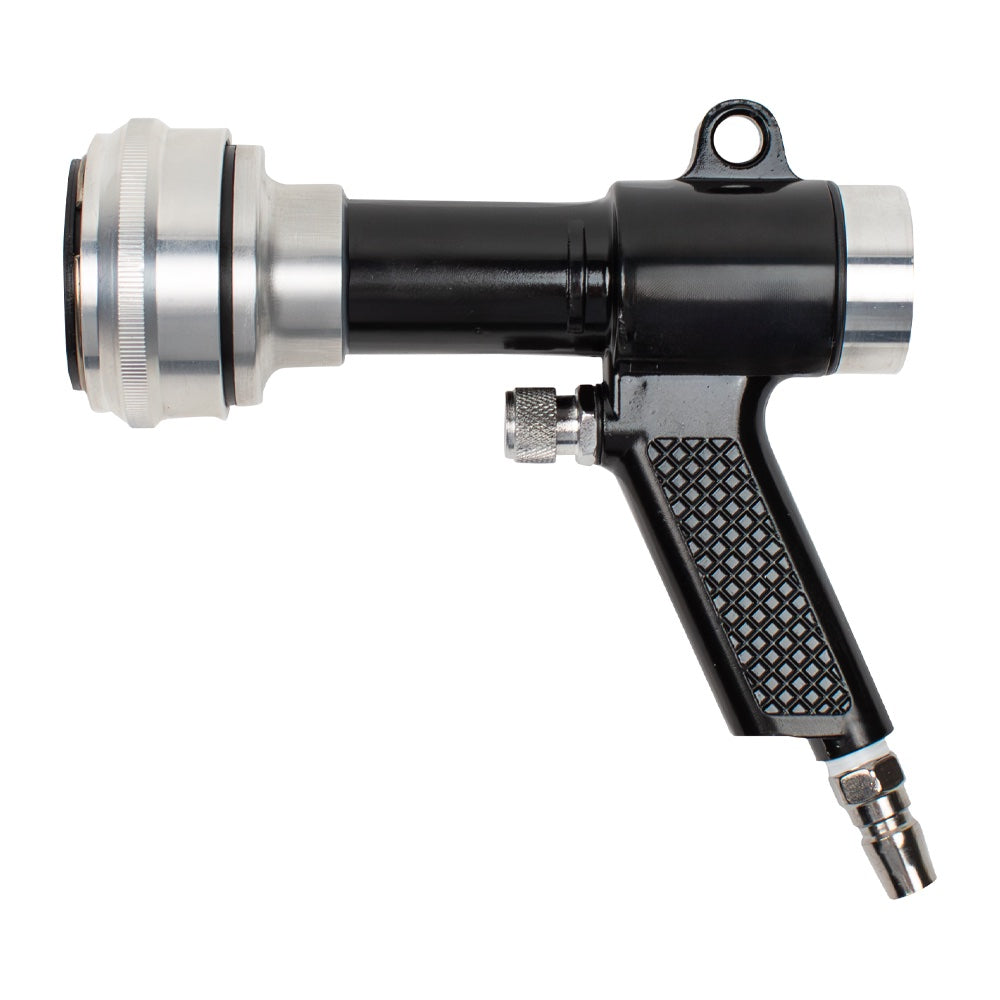
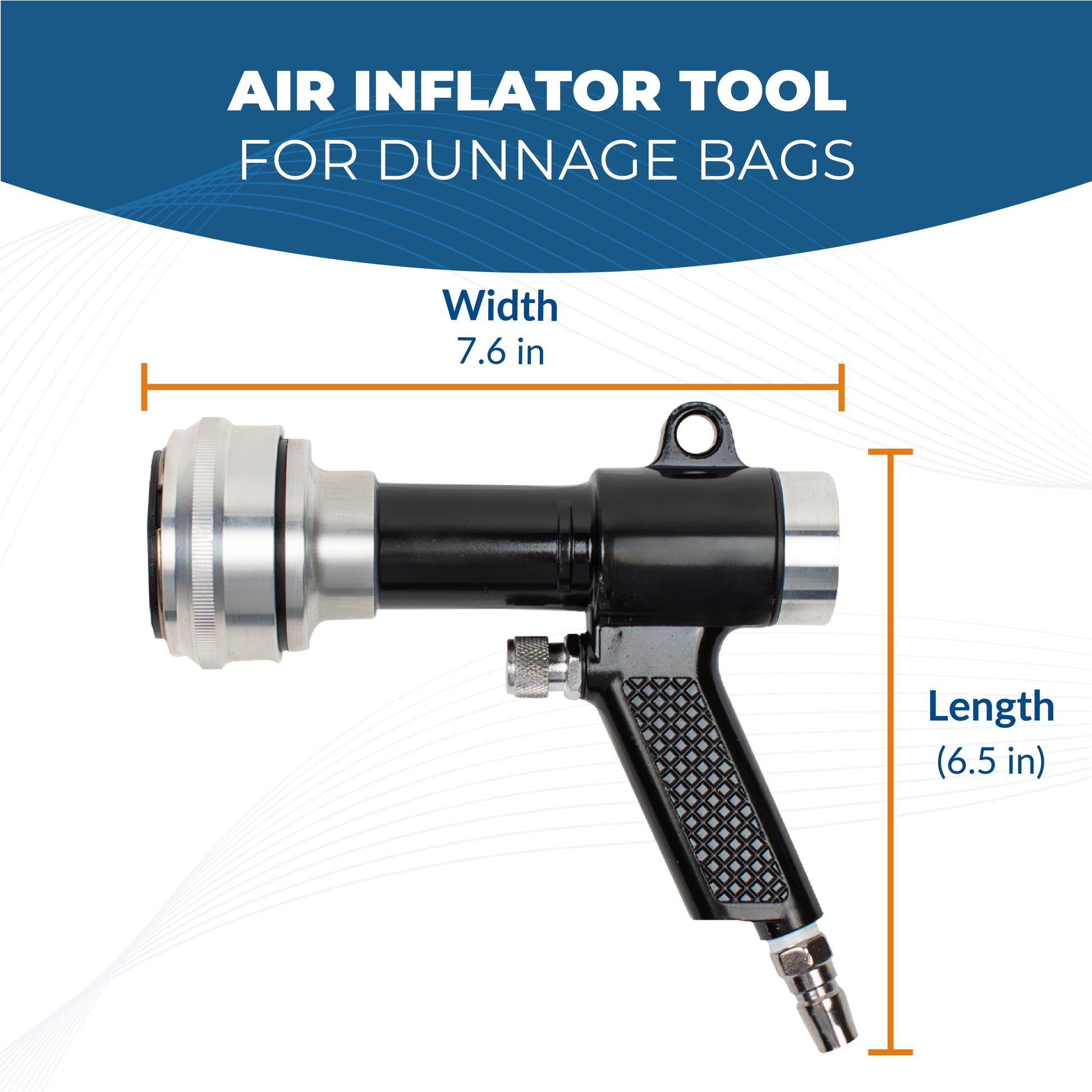
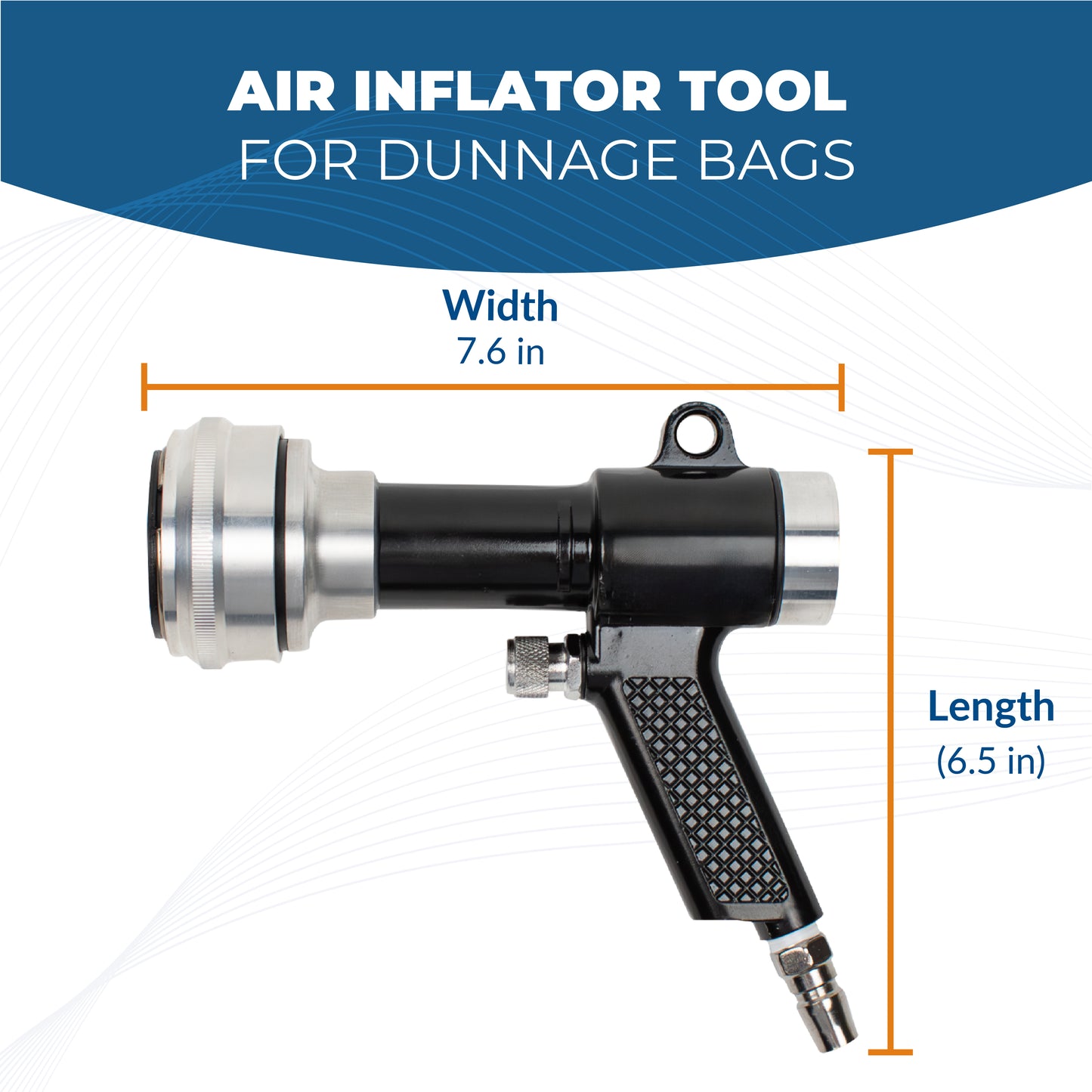
Forget the complications of the inflation process.
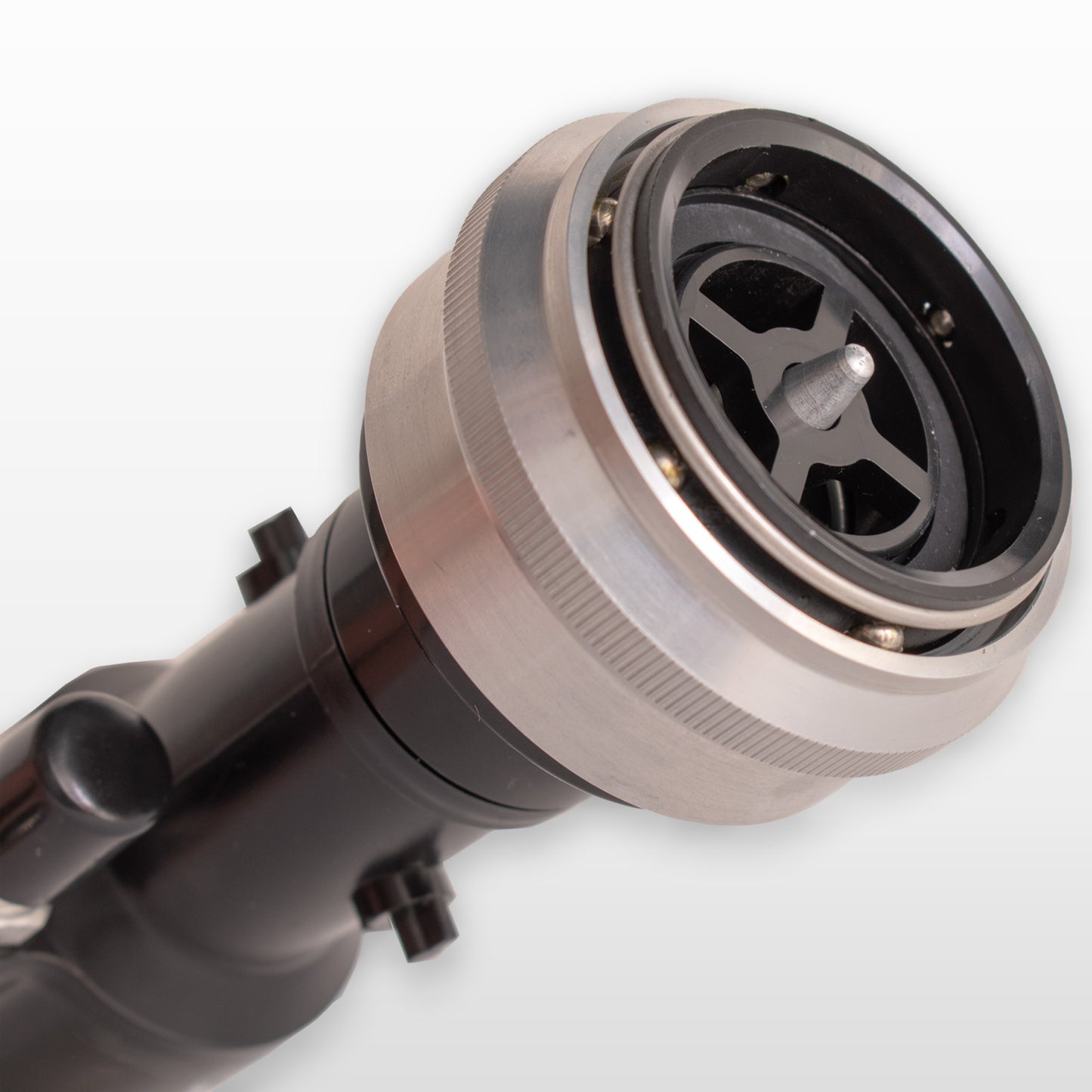
Top-Quality materials
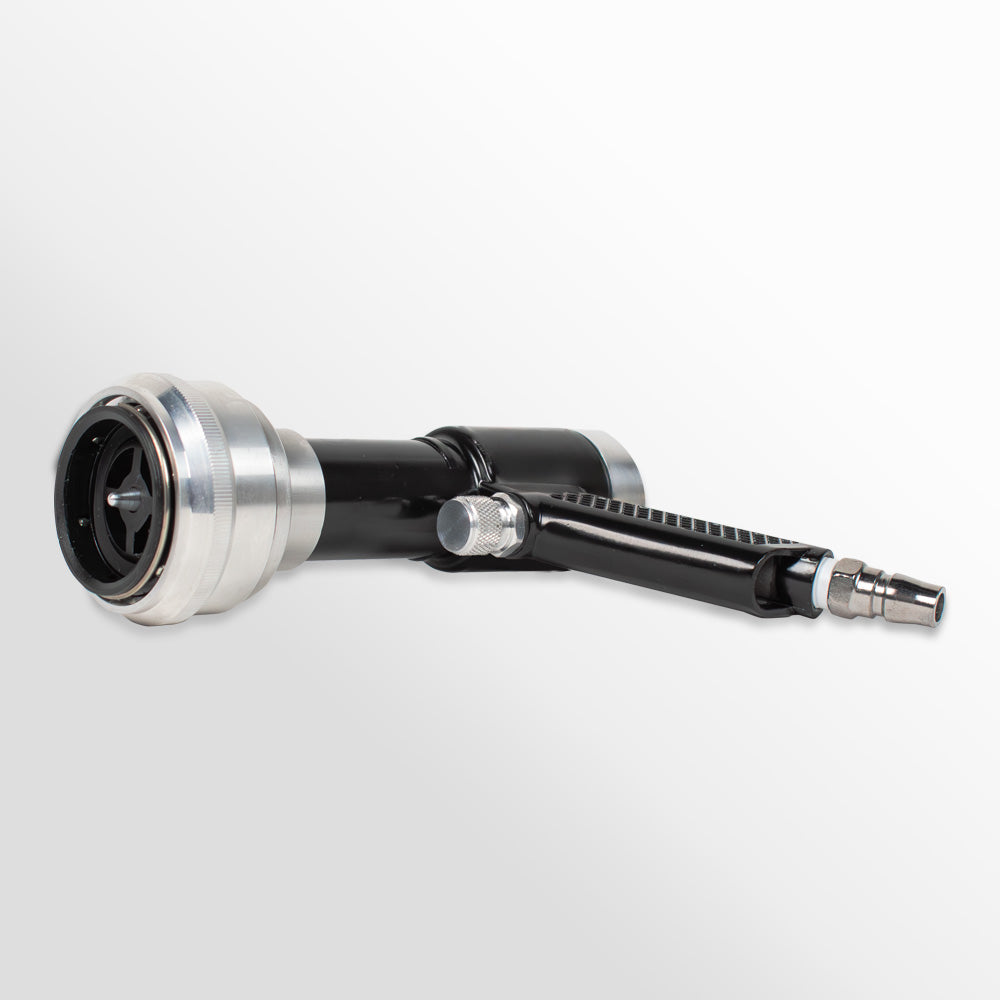
Our air tool is crafted from premium plastic, ensuring durability and reliability.
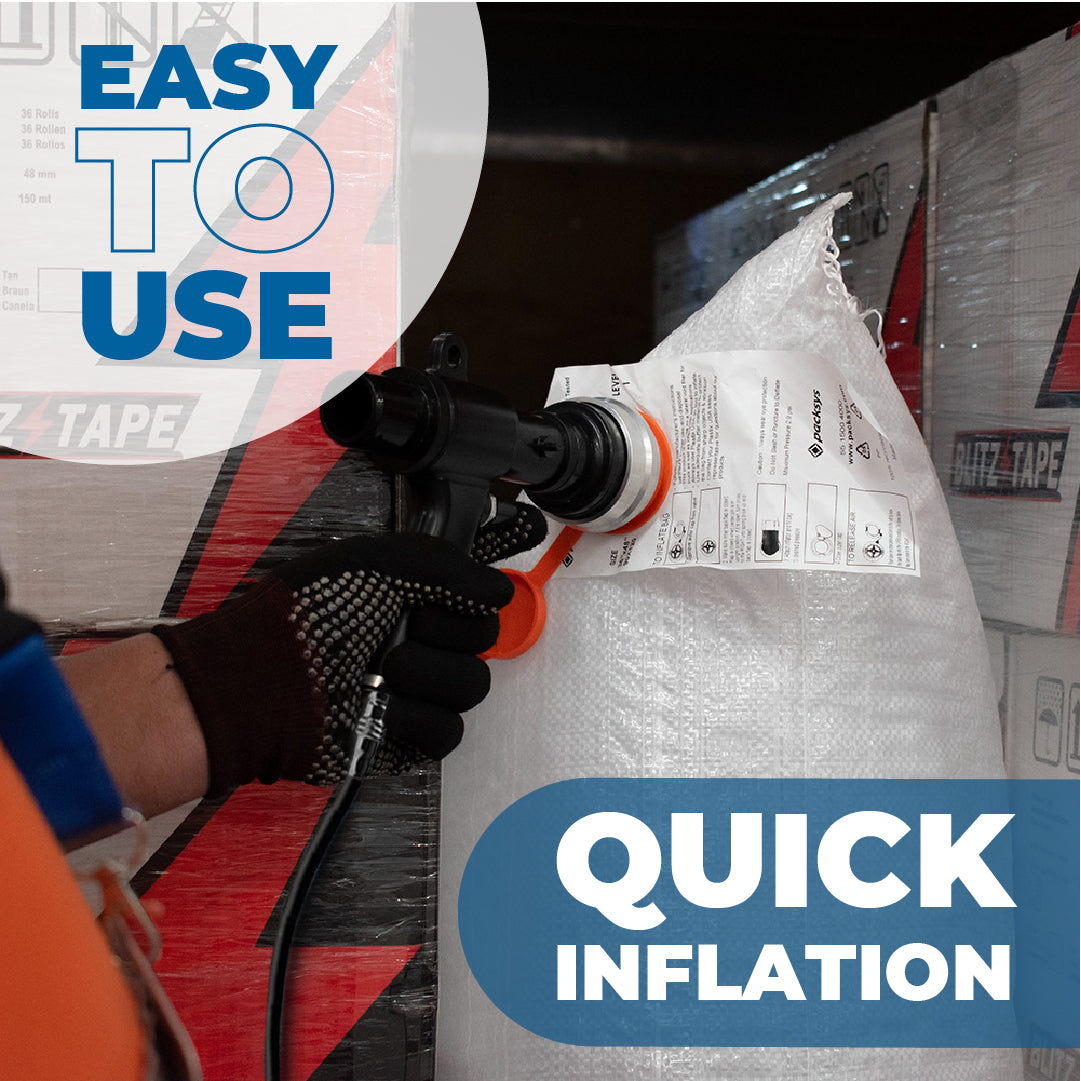
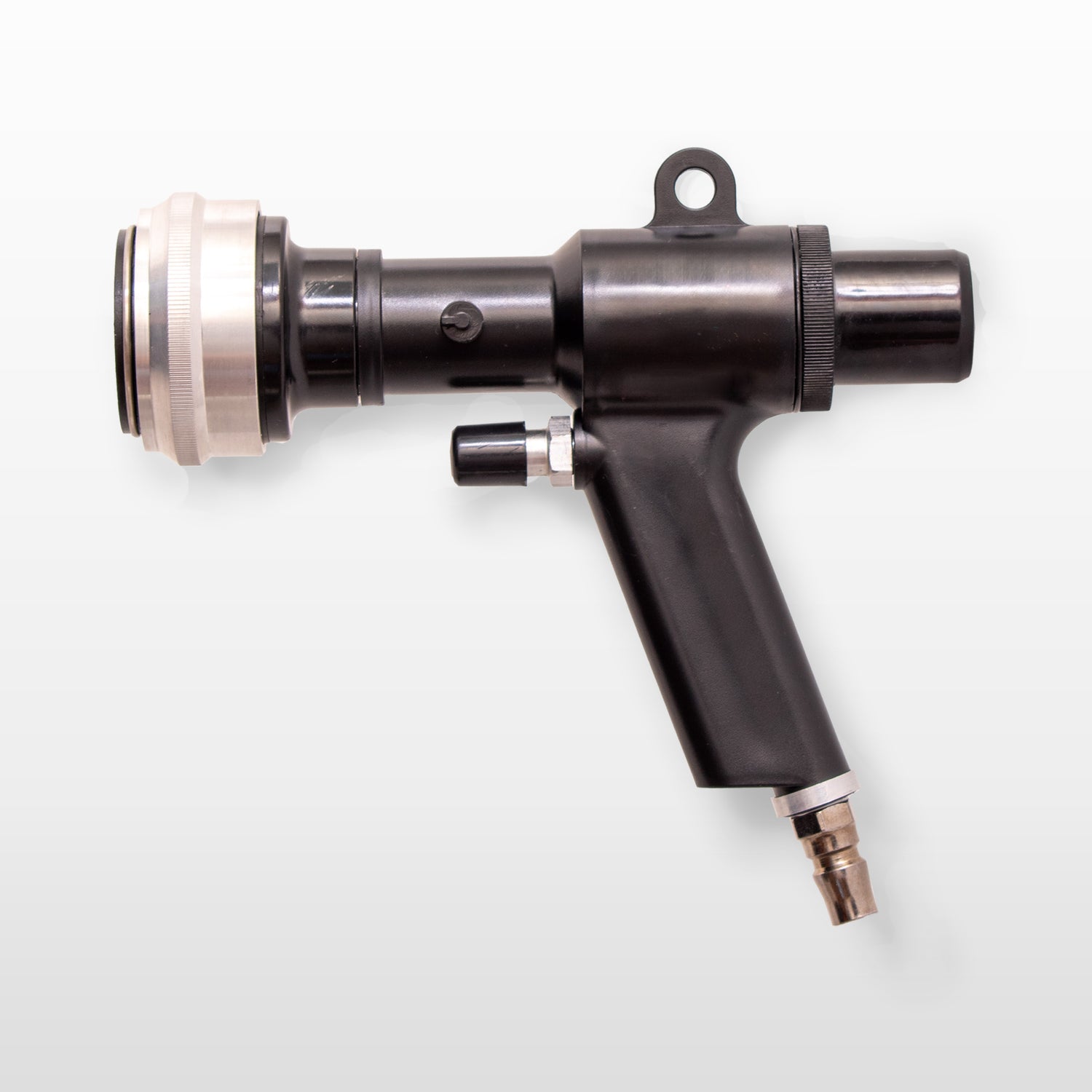
Easy to use
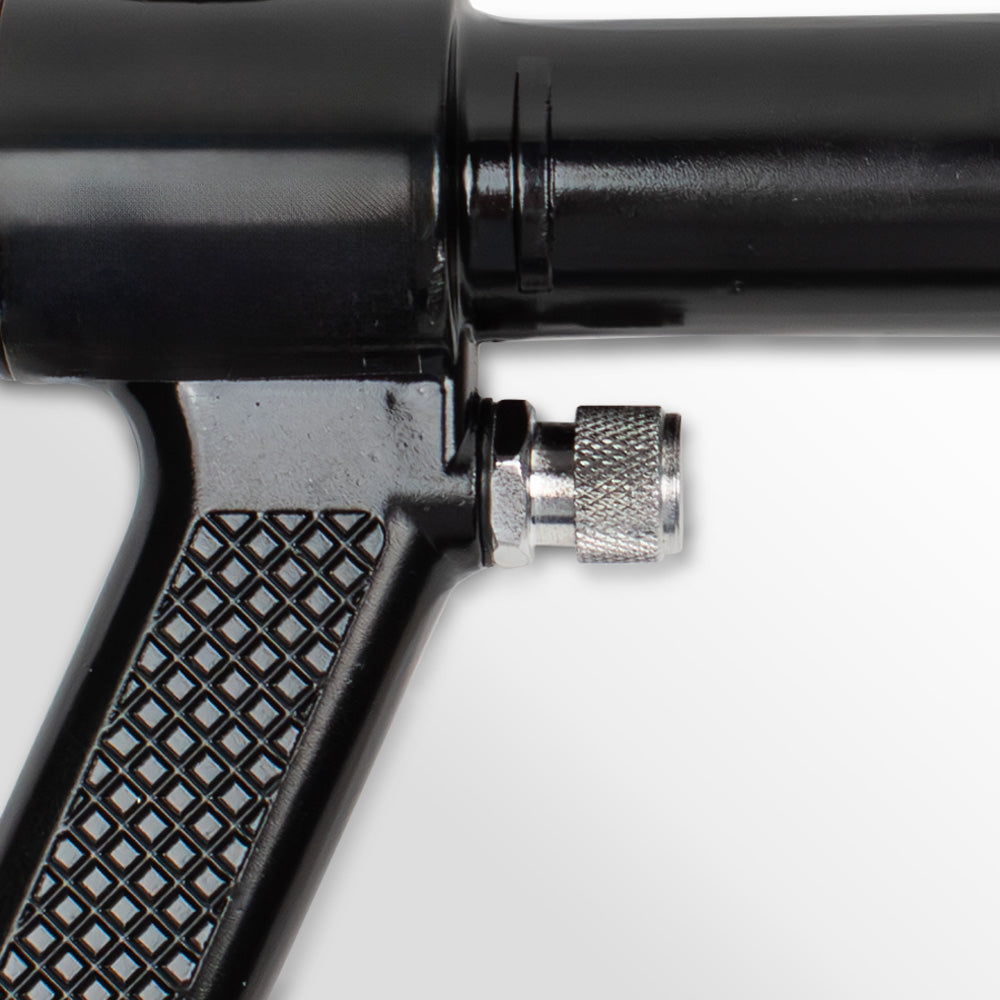
With an intuitive design, the Packsys air tool is extremely user-friendly. Forget about complicated inflation processes.
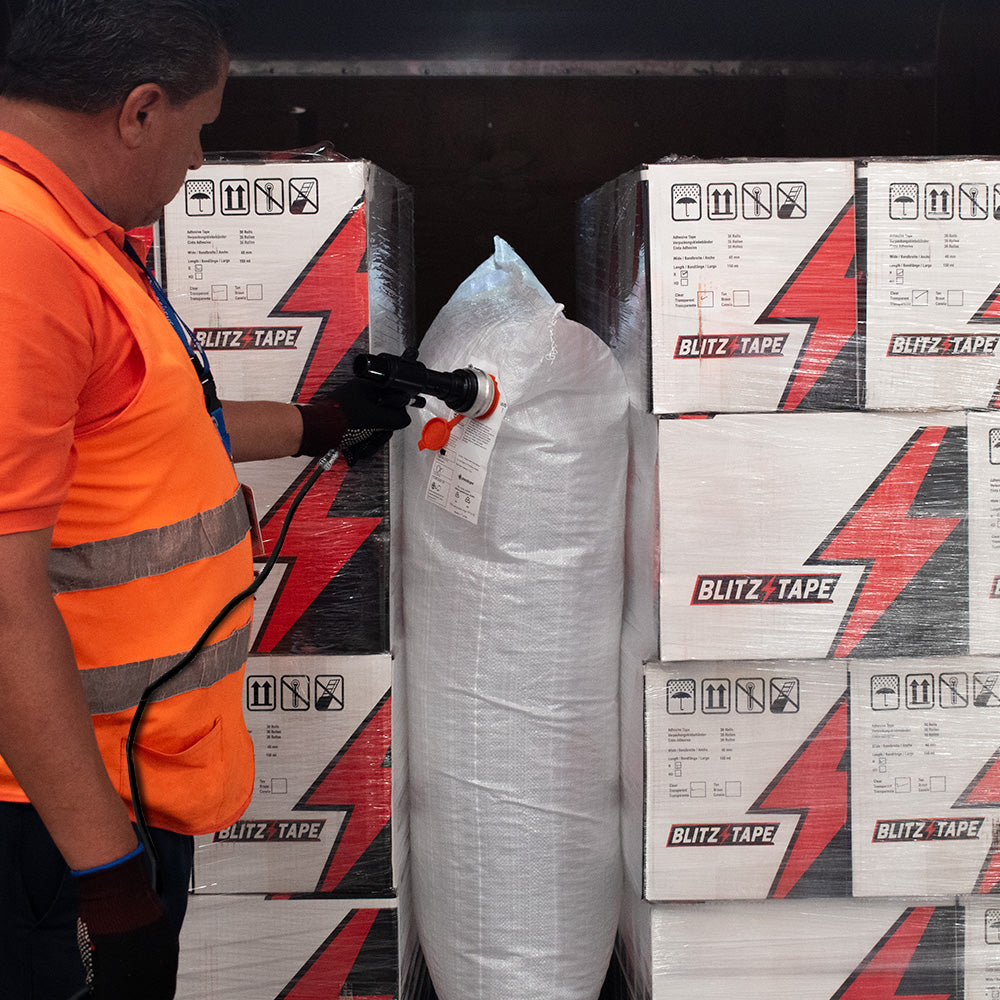
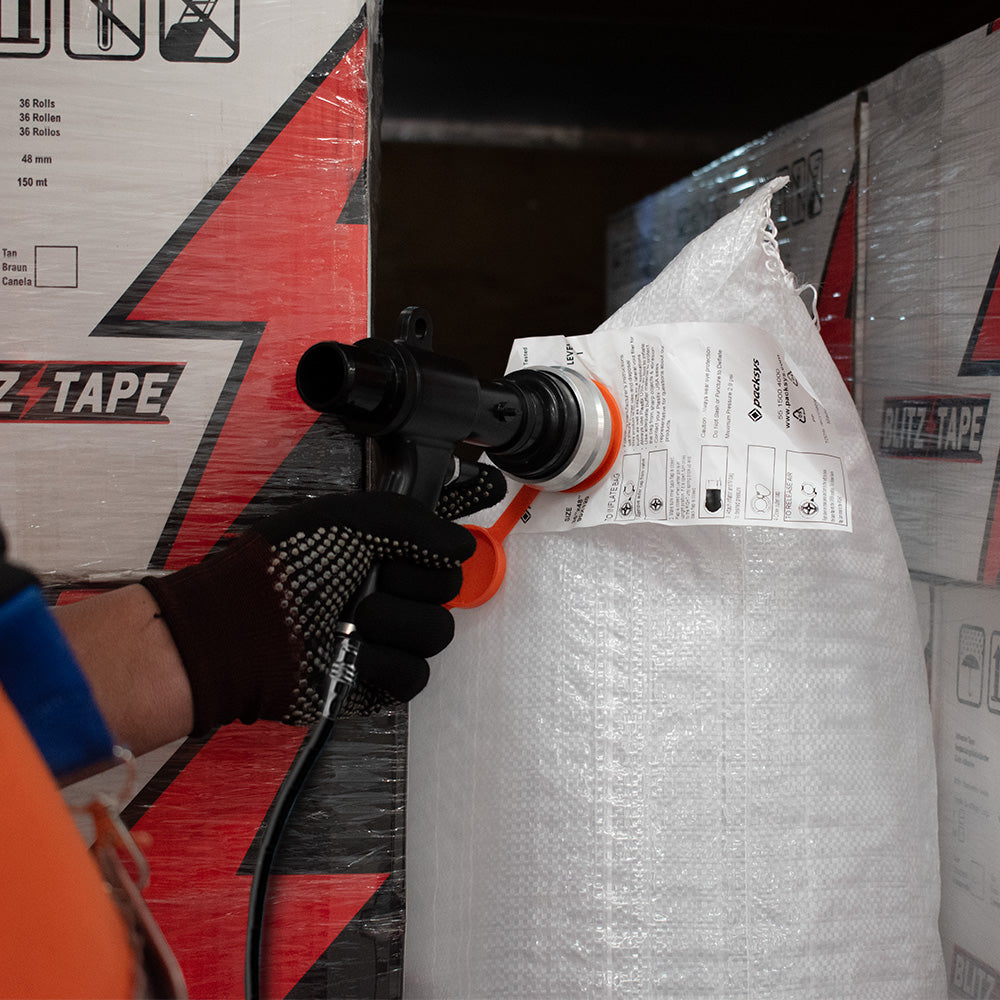
Quick inflation
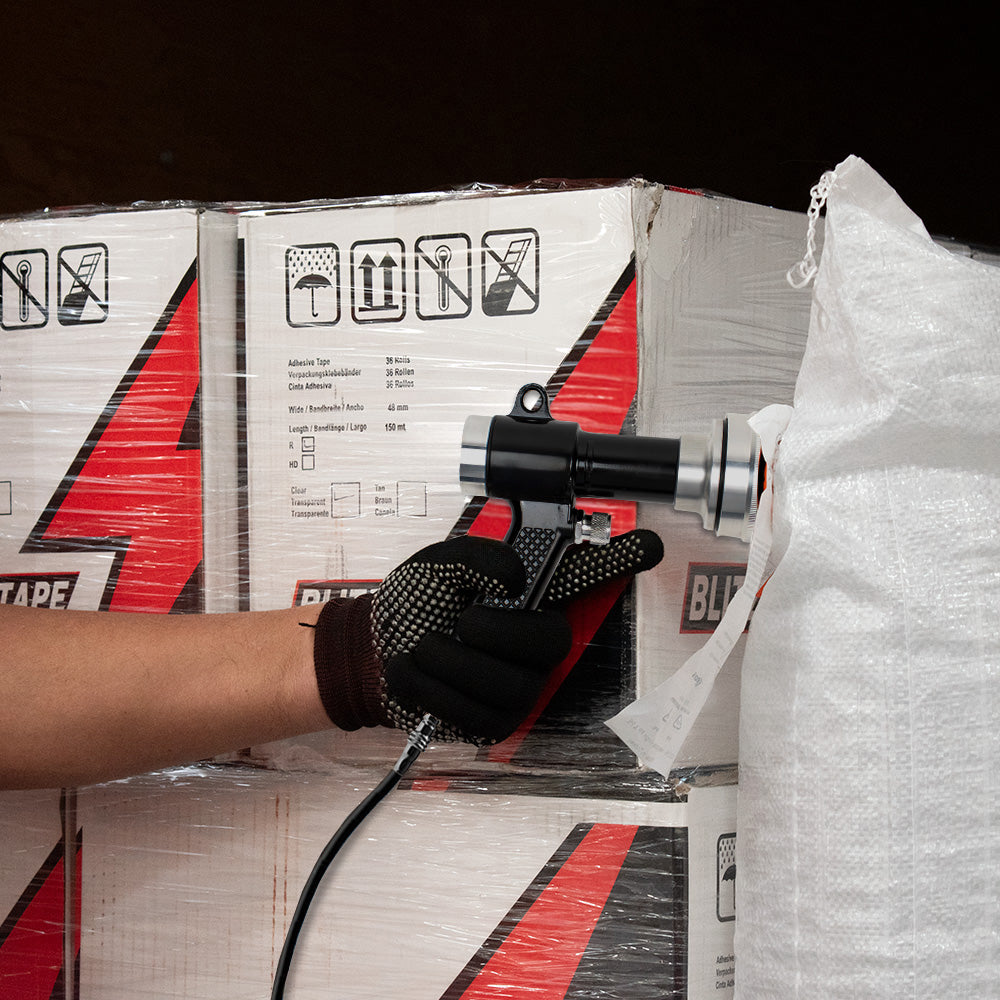
Speed up the inflation process of your cargo bags. Our air tool allows you to fill them in seconds.
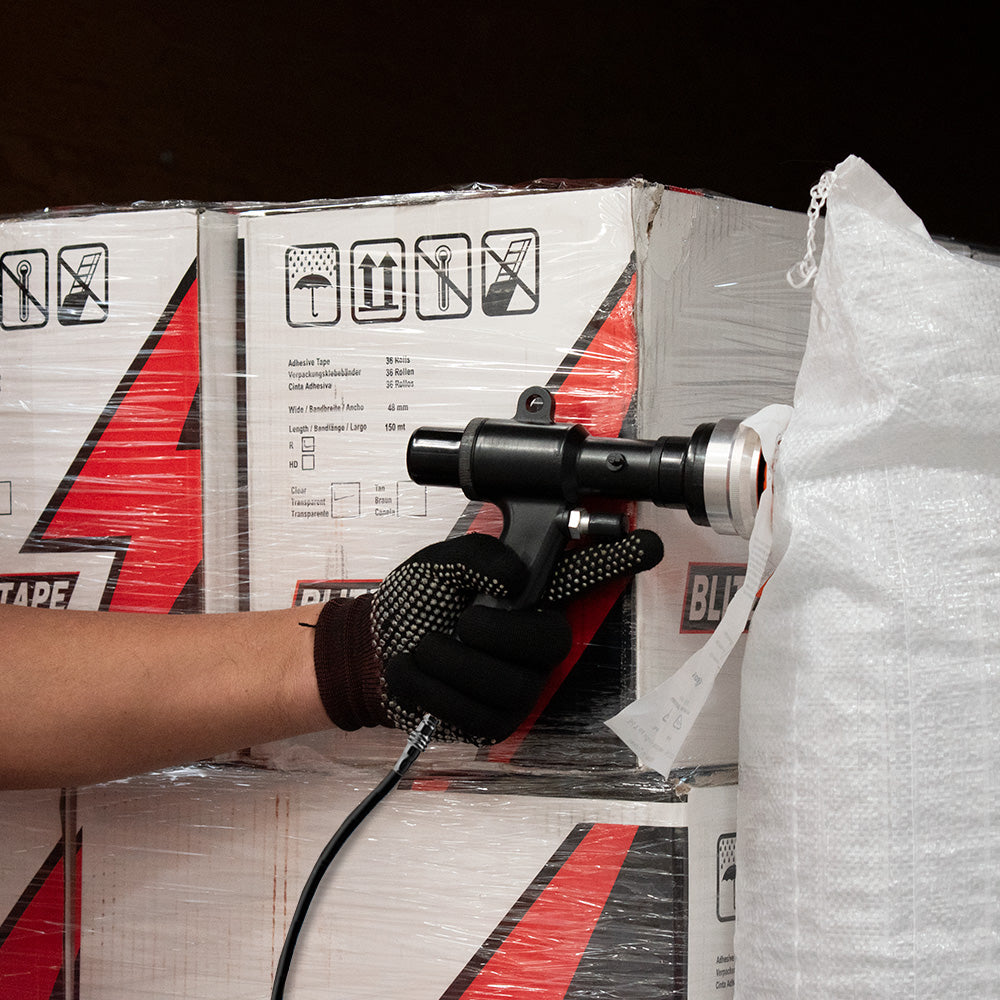
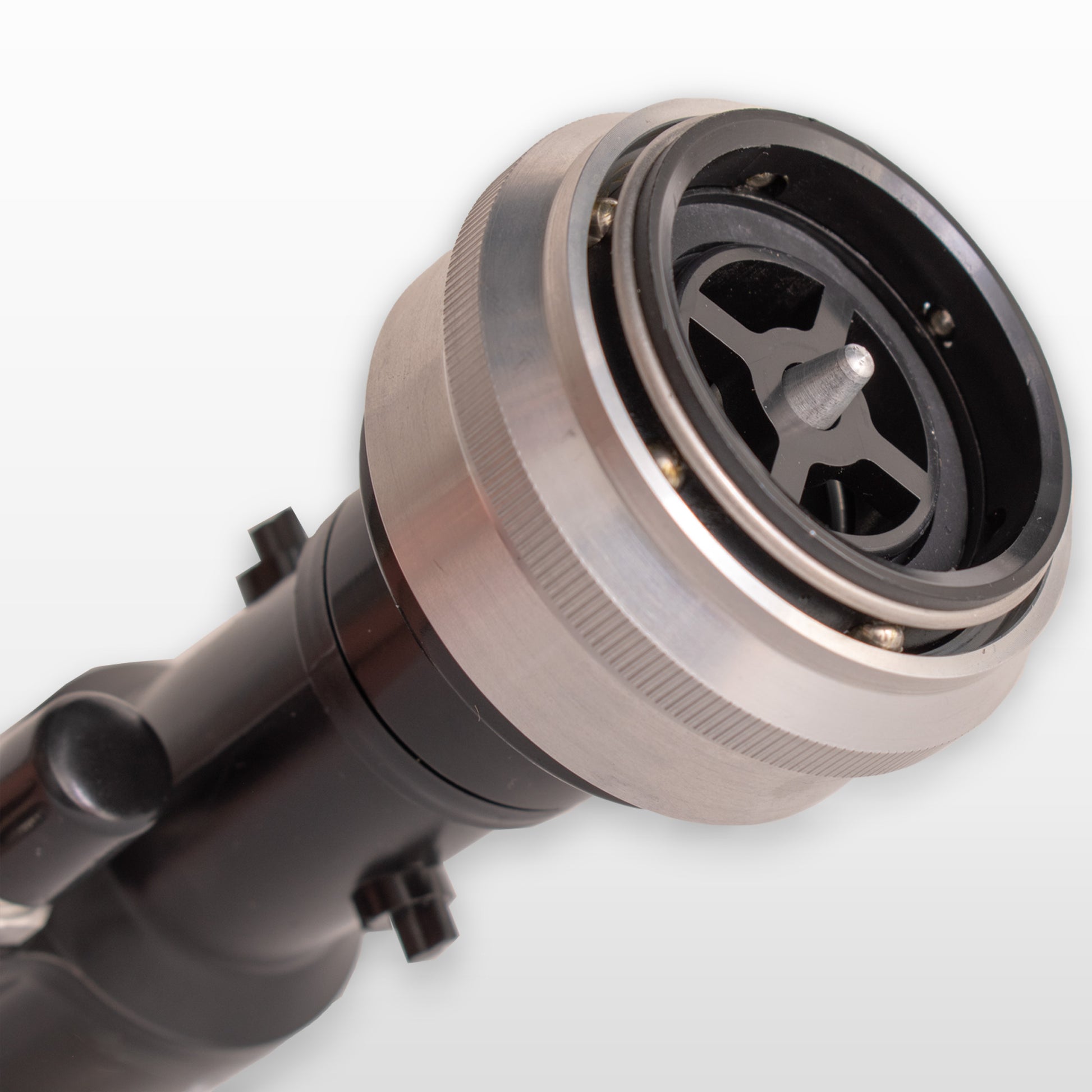
Smart locking system
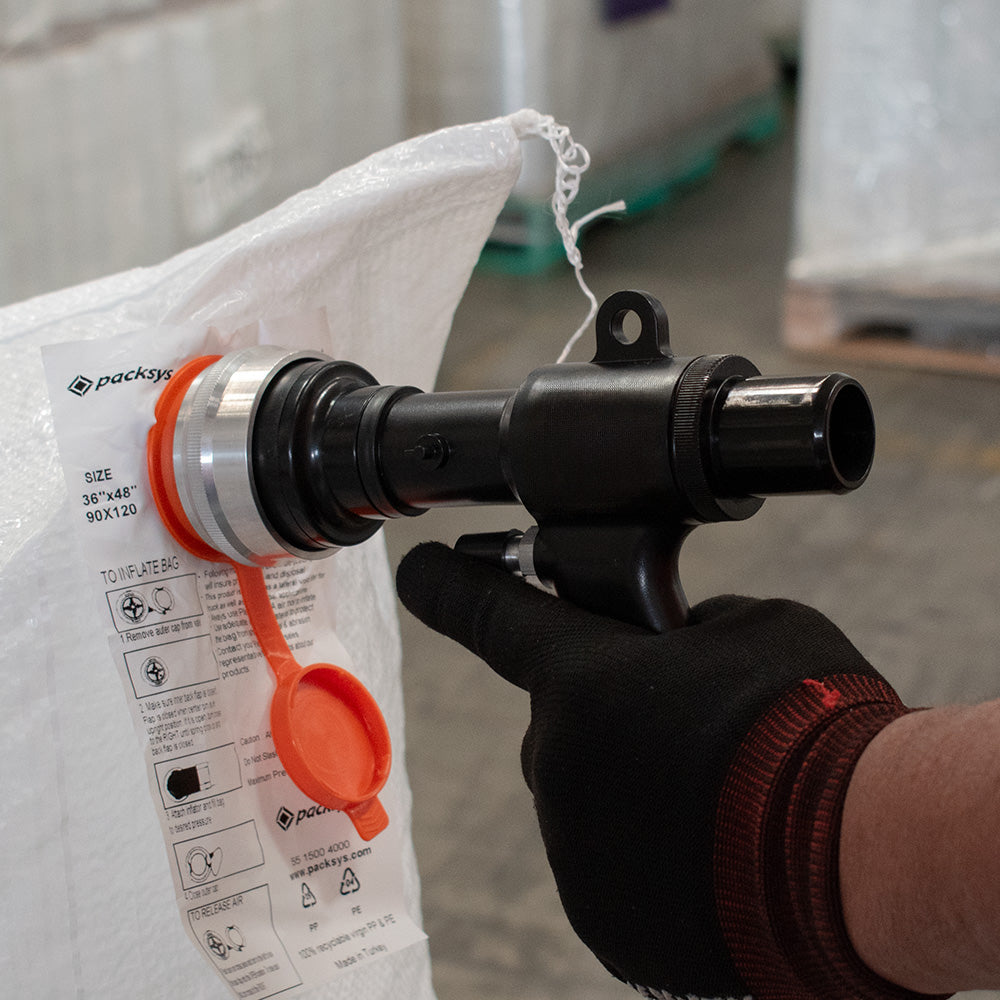
When engaging the tool to the valve, activate our locking system to ensure that the air doesn't escape while inflating your cargo bags.
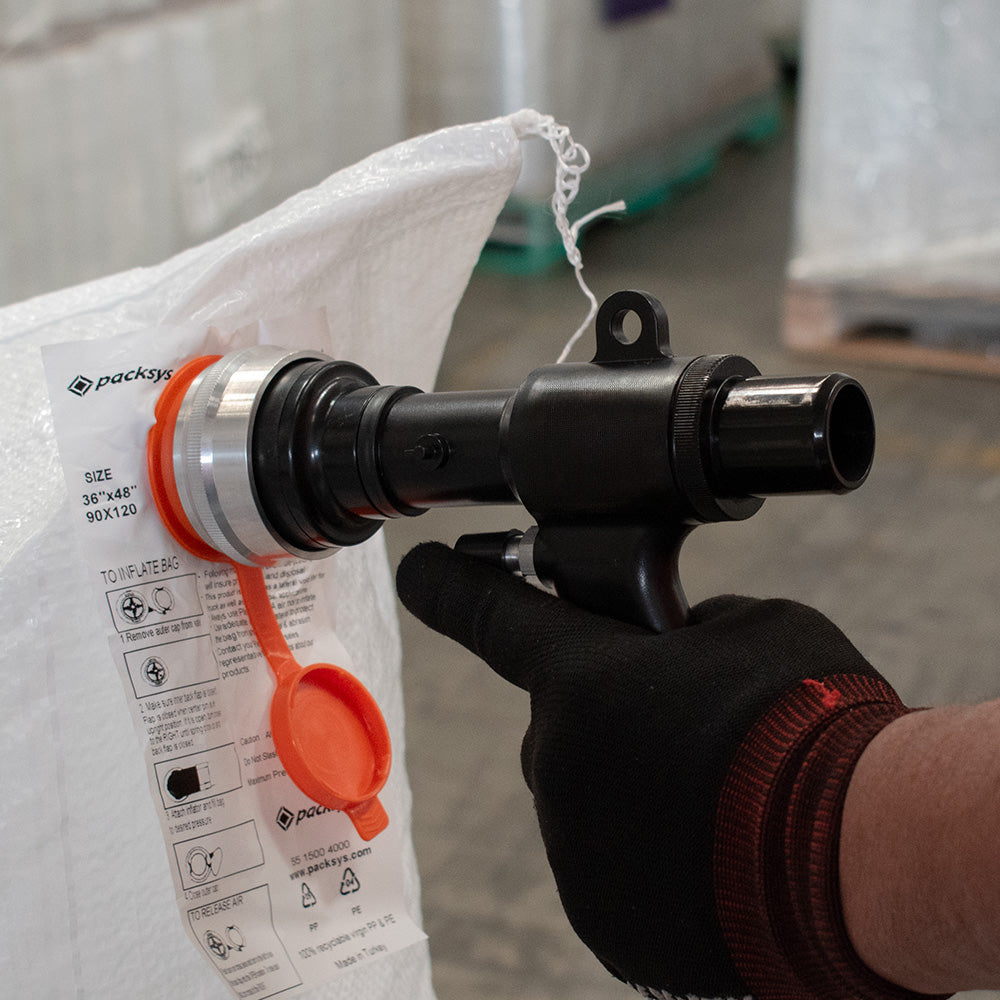
Easy disengagement
When you're done, simply disengage the tool by pulling the locking head. Easy and hassle-free.
Choose a Plastic Air Inflator for Compatible Dunnage Bags
The Packsys Plastic Air Inflator Tool is listed for inflating compatible dunnage bags. Its purchasing review should begin with the bag valve, the air supply arrangement, and the inflation requirements of the bag in use. A tool name alone does not establish compatibility with every valve or the operating pressure for every bag. Confirm the complete combination before ordering an inflator for an existing packing operation.
Identify the tool's intended application
Dunnage bags and the inflation tool are separate parts of the application. The bag provides the listed packaging function after it is prepared for the intended arrangement; the inflator supplies the tool interface used during inflation. Selecting one does not automatically specify the other. Keep the bag product, size, valve, and inflation tool on identifiable purchasing lines.
The published tool description identifies plastic construction. That material description is useful for recognizing the product, but it does not publish a universal durability rating, air-flow value, or working-pressure limit. If the operation requires a specific value or a particular connection, ask Packsys for the relevant information rather than assigning a capability from the construction material.
Confirm the bag valve match
Provide the exact bag product or valve identification when discussing the tool with Packsys. An existing bag label, product reference, or supplier specification can help clarify the requirement. Ask whether the offered inflator is compatible with that valve and what additional connection information is required. Avoid treating all dunnage bag valves as interchangeable.
The listing describes a locking head engagement and release arrangement. Use that published description as a product identification point, while following the actual tool and bag instructions for operation. This guide does not establish a universal attachment sequence or an inflation setting. Obtain the manufacturer's instructions for the confirmed combination before putting it into service.
Review the air supply requirement
An inflator selection should include the available air supply and any connection requirement of the equipment. State the existing arrangement in the inquiry so Packsys can confirm the offered tool's suitability. Do not assume that a particular hose, adapter, regulator, or compressor connection is included or compatible unless it is stated in the accepted product information.
The page does not provide every operating limit or a complete inflation procedure. Use the specified requirements of the bag and tool, and obtain confirmation where a detail is missing. Do not infer a pressure value, inflation duration, or safe fill condition from a general product description. Those requirements belong to the confirmed equipment and bag instructions.
Compare with the cordless inflator option
The separate Turbo Air Tool listing describes a battery-powered cordless inflator with a removable flexible hose and three air injection speeds. Those are features of that product. They do not mean the plastic inflator includes a battery, the same hose, or the same operating choices.
A useful comparison considers the bag valve match, available air arrangement, work location, and confirmed accessories. A cordless description does not establish a fixed battery runtime for every process, while a plastic construction description does not establish performance for every air supply. Review each product against its own published and confirmed specifications.
Keep bags and accessories explicit in the order
Browse the Dunnage Air Bags listing for the bag presentation and size choices. The quantity selected for bags describes bag supply; a quantity selected for a tool describes tools. Do not combine them into an assumed kit without written confirmation of what is included.
If an accessory or connection is needed, name it in the inquiry and ask whether it is supplied with the offered item or requires a separate purchase. A related product link is not a packing list. Keeping included components explicit helps the receiving team determine whether the equipment is ready for the intended setup or whether another confirmed component is still needed.
Plan equipment quantity by the operation
Decide how many packing stations need an inflator and whether the process requires a separately purchased spare. This is an equipment-count decision, distinct from the number of bags consumed. A busy operation may use many bags through one tool, but the listing does not establish a guaranteed number of bags per minute or an equipment count appropriate for every workplace.
For an arithmetic example, two confirmed tools for two workstations are two purchased pieces of equipment, while ten packs of bags are a separate material quantity. The number of bags in those packs depends on the selected bag presentation. The example does not recommend a staffing plan or claim a throughput value. Use your own station arrangement and the confirmed equipment requirements.
Prepare for introduction into the packing process
Before use, make the confirmed bag and tool instructions available to the responsible team. Review the actual connection and inflation requirements with the people managing the equipment. A purchase guide can help identify missing information, but it should not be used in place of operating documentation or to create an unstated inflation limit.
If the inflator is replacing another tool, record what is changing and whether the bag valve and air arrangement remain the same. A similar appearance does not establish an identical connection or setting. Confirming the replacement before purchase can prevent a mismatch that becomes visible only when the tool arrives at the packing station.
Request a clear product confirmation
A useful inquiry identifies the Plastic Air Inflator Tool, the bag product and valve, the available air supply, the needed tool count, and any connection or accessory requirement. Ask Packsys to confirm compatibility, included components, current availability, and delivery terms. Add the destination when a shipping quote is needed.
Use Contact and Quotes to resolve those details. A quote should describe the actual tool and components being supplied before payment. Current price and stock status should be checked for the purchase; this guide does not reserve equipment or establish a fixed preparation time for every requirement.
Check the received equipment before deployment
Receiving should compare the tool and confirmed included components with the accepted order. Keep the bag and connection information with the equipment record so the team can identify its intended application. Report apparent damage, a wrong item, or missing confirmed components to Packsys with the order reference before arranging a return.
The Return Policy explains authorization and the applicable return conditions. Consult the actual product documentation for operating and maintenance requirements. This guide does not extend the separate machinery warranty to every inflator or accessory; any product-specific coverage should be confirmed under the terms that apply to the item purchased.
Before You Complete a Packaging Order
Match the selection to the work it needs to do
Identify the application before comparing prices: manual wrapping, machine wrapping, smaller bundling, carton closure, inside-the-box packing, or load protection. Open the selected product page and read its own specification. Where equipment is involved, keep the machine or tool identification available and confirm any requirement that remains unclear. A category name or similar-looking dimension is a starting point for comparison, rather than a complete compatibility statement.
Review presentation and quantity together
A roll, case, pack, piece, or machine describes a different ordering unit. The selected presentation determines what is included. Quantity one of a multi-roll or multi-piece presentation means one pack containing the stated contents. Some products use total-roll or total-bag selectors with their own rules. Read the displayed selection and total instead of transferring another product's quantity method. Keep the specification and intended contents in the purchase record.
Keep measurements attached to any calculation
When comparing roll material, record width, thickness where stated, and length per roll alongside the roll count. Multiply confirmed roll count by stated length to compare purchased footage. A unit-price calculation helps explain the purchase amount but does not establish guaranteed packing output or load performance. Actual use depends on the goods and application. State whether shipping and taxes are included when comparing delivered totals.
Check the current offer before payment
Review the selected product, presentation, quantity, availability, delivery address, taxes, shipping charges, and full total. Prices are in U.S. dollars. A product card's “from” price is a browsing summary across choices; the actual selection determines the order. Where pricing or availability requires contact, obtain the relevant details in the written offer. If a product is unavailable, ask about it without assuming a restock date or an approved substitute.
Confirm quotes and any requested changes
An inquiry or request for a quote does not place an order. Written quotes identify products, quantities, price, availability, shipping arrangements, and any validity period. Changes to a quoted purchase must be agreed before payment. If another person approves the order, keep the current quote and specification available so both people review the same selection. A purchase order, company account, previous purchase, or inquiry does not automatically grant credit; credit requires individual written approval.
Plan the actual receiving arrangement
Direct online shipping covers the 48 contiguous United States. In-stock preparation of one to two business days is separate from carrier transit. Machinery and pallet orders require a freight quote and delivery confirmation before payment, with address type and relevant appointment, liftgate, forklift, loading-dock, or access requirements. Houston pickup needs prior coordination and readiness confirmation. Local delivery needs a prior quote. Use the Shipping Policy and confirmed order details for the arrangement.
Keep support records after delivery
Retain the order number, specification, selected presentation, delivery information, and relevant written correspondence. If an item arrives damaged, incorrect, incomplete, or appears defective, contact Packsys with a factual description and photos if available. The Return Policy explains authorization, conditions, transportation costs, and approved refunds. Contact the team before sending products back or buying a return label; machinery and pallet returns need freight coordination.
Ask about the detail that is still uncertain
For selection or quotation help, state the product, intended application, current label or equipment where relevant, quantity, destination, and required date. Mark unknown details so they can be clarified. Use Contact & Quotes, email info@packsys.us, or call +1 346 374 0090. The Terms of Service explain quantities, quotes, taxes, credit, and order changes. Keep the final written confirmation with the actual product selection before purchasing.
Review business purchasing conditions explicitly
For a credit request, the individual written approval states payment periods, limits, and other conditions. A purchase order or earlier order does not establish those terms on its own. If requesting a resale or other tax exemption, contact Packsys before payment and provide valid supporting documentation. A company name or tax identification number alone does not establish eligibility. Review the applicable tax line at checkout or in the quote with the other purchase details.
Confirm an address outside standard online coverage
Alaska, Hawaii, U.S. territories, military addresses, and international destinations are outside the published standard online shipping coverage. Contact Packsys before ordering to discuss availability and any special terms, which require written confirmation. Use the actual receiving address, which may differ from a company's billing address or headquarters. If the destination or receiving service changes after a quote, ask for the revised arrangements to be agreed before payment.
Keep delivery problems connected to the order
For damaged, missing, incorrect, or lost items, provide the order number, description, and photos if available. Keep the packaging while the issue is reviewed and report the problem promptly. The Shipping Policy explains that a delayed report does not automatically waive legal rights. Packsys coordinates the next steps with the customer and carrier. An order-specific description helps distinguish a delivery issue from a new product-selection inquiry or an ordinary change-of-mind return.
Request return authorization before transportation
The Return Policy allows a request within thirty days after delivery and asks customers to contact Packsys before sending items back. Change-of-mind consumable returns require unused products in original sealed packaging; machinery must be unused, uninstalled, and in its original packaging with parts and accessories. Those conditions do not prevent reporting damaged, defective, incorrect, or incomplete goods. The authorization supplies the return address and shipping or pickup instructions. Coordinate machinery and pallet freight first.
Read approved return costs and refund timing
The published restocking fee is zero percent. The customer pays change-of-mind return shipping, while Packsys pays necessary return shipping for its error or a defective product under the policy. Approved refunds are issued to the original payment method within five business days after receipt, inspection, and approval; the bank may take additional time to post them. Original delivery charges are treated according to the reason and affected items, with the calculation explained in the authorization. Earlier purchases retain the terms applicable when ordered.
Questions About Confirming a Product Purchase
What should the purchase record identify?
Keep the product name, selected specification, purchasing presentation, and total quantity together. An item name alone may omit the width, thickness, roll length, size, or equipment configuration that distinguishes the intended selection. Use the published option or confirmed quote and keep unresolved details as questions. The record should describe the actual item accepted for the order rather than a similar material from another catalog page.
For several materials, use separate lines so rolls, pieces, packs, coils, and equipment units remain identifiable. The presentation defines what one purchasing unit contains; the total quantity identifies how many of those units are being requested. Reconcile both before payment and retain the accepted description for receiving.
How should a buyer compare a displayed price with a quote?
First check that the product, specification, and quantity are equivalent. A price for one roll should not be compared directly with a price for a pack of several rolls. Keep the unit beside every amount, and check whether the delivery and applicable taxes are included in the comparison. The current displayed selection and the accepted written quote are the references for the actual purchase.
This guide does not fix a future price or availability. If an item, quantity, or delivery requirement needs a quote, ask Packsys to confirm those terms before paying. A previous order is a useful product reference but does not automatically preserve an earlier commercial offer.
What does a quotation request establish?
A request starts a discussion about the intended product and purchase. It does not itself create an order, reserve material, establish credit, or promise a dispatch date. Provide the application, specification, amount, and destination so the response can address the actual requirement. Identify any required component, compatibility, or material information that still needs confirmation.
Review the written product, quantity, price, availability, delivery arrangement, and any stated offer conditions. Resolve changes with Packsys before payment. When another person handles the purchase, pass on the accepted description so the buyer and receiving team refer to the same configuration and units.
Does a company purchase automatically receive credit or tax exemption?
No. The published purchasing terms describe credit as an individually approved written arrangement with its applicable period, limit, and conditions. A company name, purchase order, or previous purchase does not by itself create that arrangement. Confirm any requested credit terms with Packsys before treating them as available for an order.
Tax exemption also requires valid documentation and review before payment under the published terms. A tax identifier or business name alone is not a confirmed exemption. Keep the accepted purchasing and tax conditions with the order record rather than assuming they apply to every company transaction.
How should processing and delivery be planned?
The published shipping policy separates preparation from transit. In-stock orders are generally prepared within one to two business days, Monday through Friday excluding holidays, while transit is additional. Machinery, made-to-order requirements, and pallet freight need their availability and dispatch arrangement confirmed for the actual order. Read the applicable written confirmation instead of treating a general preparation range as an arrival promise.
For machinery or pallet freight, provide the destination ZIP code and actual receiving setup. Include commercial or residential address type, dock or forklift availability, and any liftgate, appointment, or access requirement. Confirm the agreed services before payment so the freight offer describes how the order can be received.
What if the destination or collection arrangement needs review?
The published standard online shipping coverage is the forty-eight contiguous United States. Other destinations need availability and special terms confirmed before ordering. Do not assume that an address outside that coverage can use the same online delivery arrangement. Send the destination with the product requirement so Packsys can review both together.
Houston pickup requires prior coordination, an appointment, and readiness confirmation. Local delivery also needs a prior quote. A warehouse address or product stock indication does not automatically establish a collection time or local delivery service. Keep the confirmed arrangement with the order so the receiving or collection team knows what has been agreed.
How should an apparent delivery or product problem be reported?
Contact Packsys with the order reference and a clear description of the apparent issue, such as damage, an incorrect item, or an incomplete quantity. Identify the accepted specification and what was received. Keep the purchasing confirmation and relevant records available so the team can review the actual order. Avoid arranging a return or outside work before obtaining the applicable instructions.
The published return policy distinguishes a change-of-mind request from a reported error or defect. Its condition requirements should not be treated as a reason to avoid reporting damaged, defective, wrong, or incomplete goods. Ask for review and authorization under the terms that apply to the actual situation.
What should happen before a return is transported?
The published return process requires authorization before a return label, parcel shipment, or machinery freight arrangement. For a change-of-mind consumable return, the policy describes unused, sealed material in its original packaging; machinery has its own unused, uninstalled, original-packing and component conditions. Check the full policy and the applicable request period before organizing transport.
Authorized return costs depend on the situation described in the policy. Approved refunds follow receipt, inspection, and approval and are generally processed within five business days to the original payment method, with additional bank time possible. Keep the written authorization and calculation with the order. These purchasing questions supplement the Return Policy and Shipping Policy; consult those pages for their complete terms.
